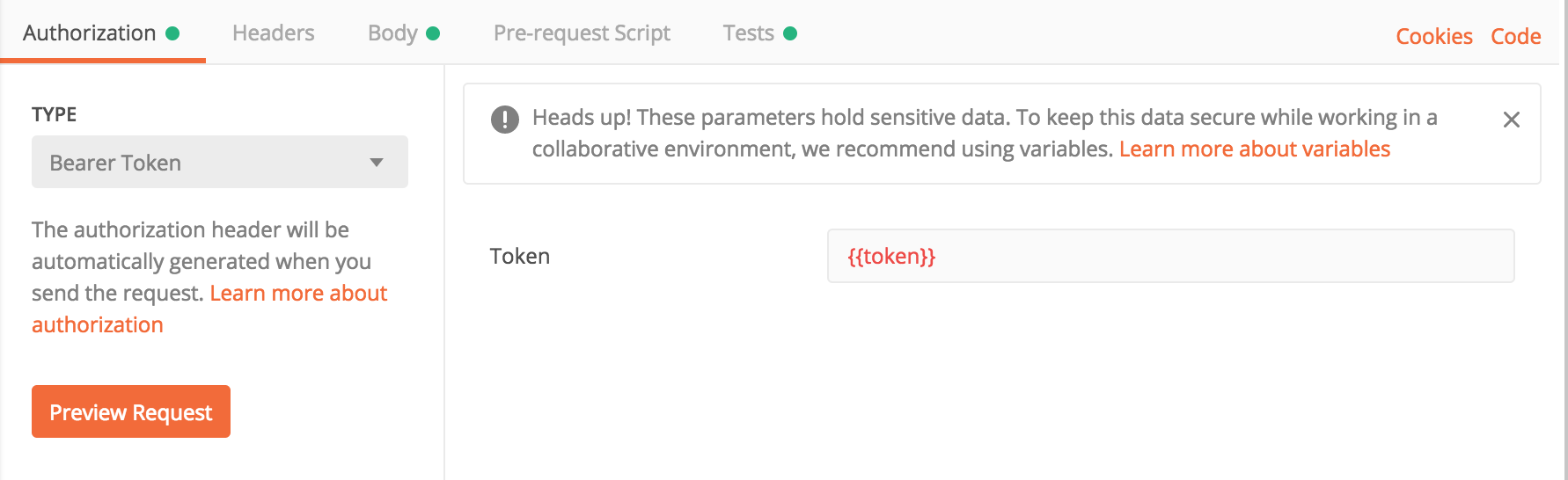
While developing a Django project recently, I had CSRF protection enabled, which meant every request needed an X-CSRFToken header. Without it, Postman requests would come back with 403.
In a Django app, the CSRF token is usually set as a cookie during login. This post shows how to make Postman automatically read that csrftoken cookie and reuse it in later requests.
To automate this, use Postman’s Tests feature. The Tests tab supports small JavaScript snippets for manipulating variables.
In your login request, add the following script:
1 | var csrf_token = postman.getResponseCookie("csrftoken").value |
It should look something like this:
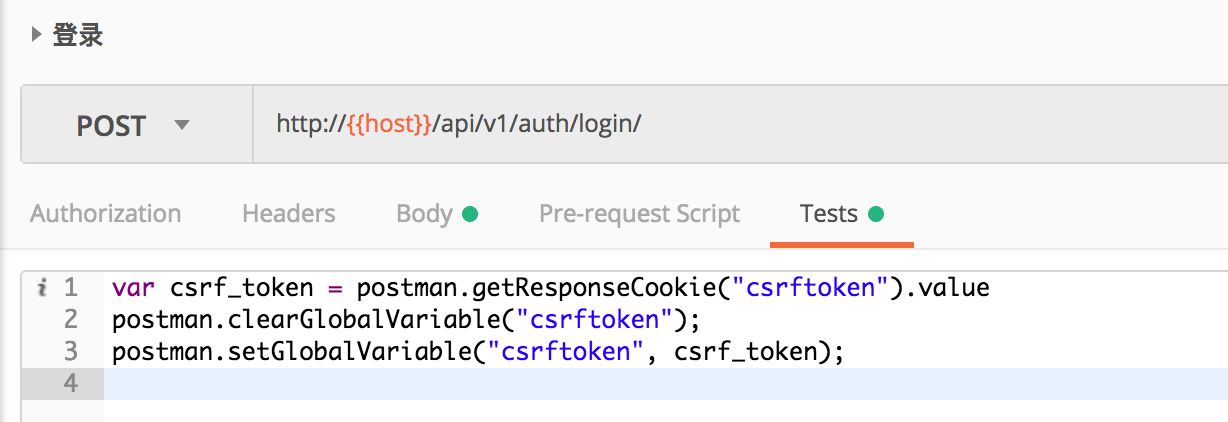
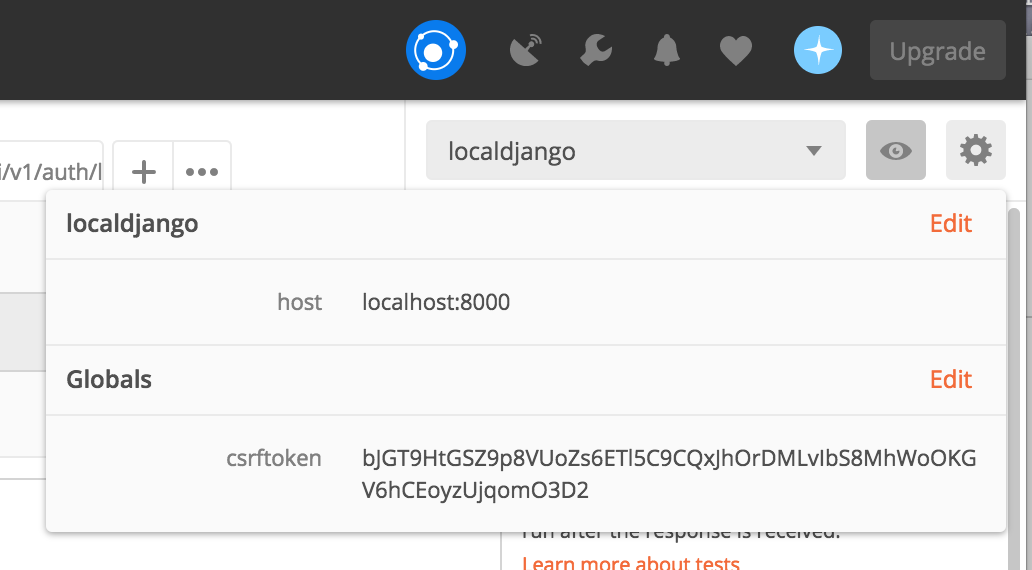
This script reads the csrftoken cookie from the login response and stores it as a Postman global variable named csrftoken. You can inspect the variable by clicking the eye icon in the top-right corner of Postman:
Then in later requests, add an X-CSRFToken header and use {{csrftoken}} as its value:
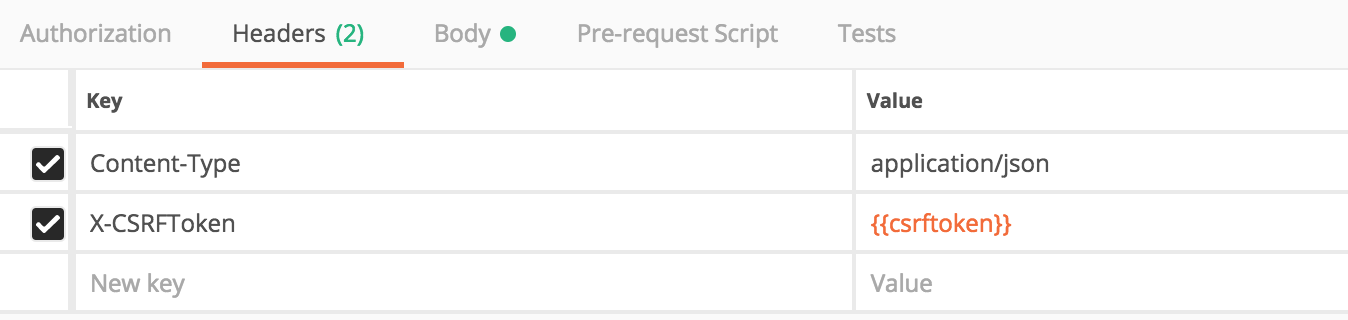
From then on, every time you log in again, the variable gets refreshed automatically, which makes API testing much smoother.
In real development, you may also need bearer-style authentication tokens. Those can be extracted in the same way, except the token usually comes from the response JSON instead of a cookie:
1 | var token = JSON.parse(responseBody).token; |
Example: