I recently built a small desktop tool with Codex called CiaForge.
The starting point was simple: when I download 3DS games from Vimm’s Lair, I usually end up with .cci or .3ds images, while .cia is the more commonly used format for installation on a 3DS. The existing Python project 3dsconv can do this conversion, but it is a command-line tool.
I had also been meaning to take a proper look at what Tauri can do, so CiaForge came together naturally: a cross-platform desktop interface built with Tauri, with the core conversion logic from 3dsconv reimplemented in Rust. What used to happen in a terminal is now a small tool you can use by dragging files into a window.
CiaForge does not include game content, keys, or firmware material. Only convert and install files you are legally entitled to use.
From the command line to a convenient desktop app
3dsconv already solves the core problem well: converting eligible 3DS images to CIA files. It is also the inspiration and reference point for CiaForge.
But I wanted something that fit everyday use a little better: open the app, drag in the files, choose an output location, and see the progress and result for each item directly. When something fails, it should be obvious which file failed and why, instead of having to dig through terminal output.
So CiaForge is not trying to reinvent a universal converter. It focuses on making one specific workflow easier:
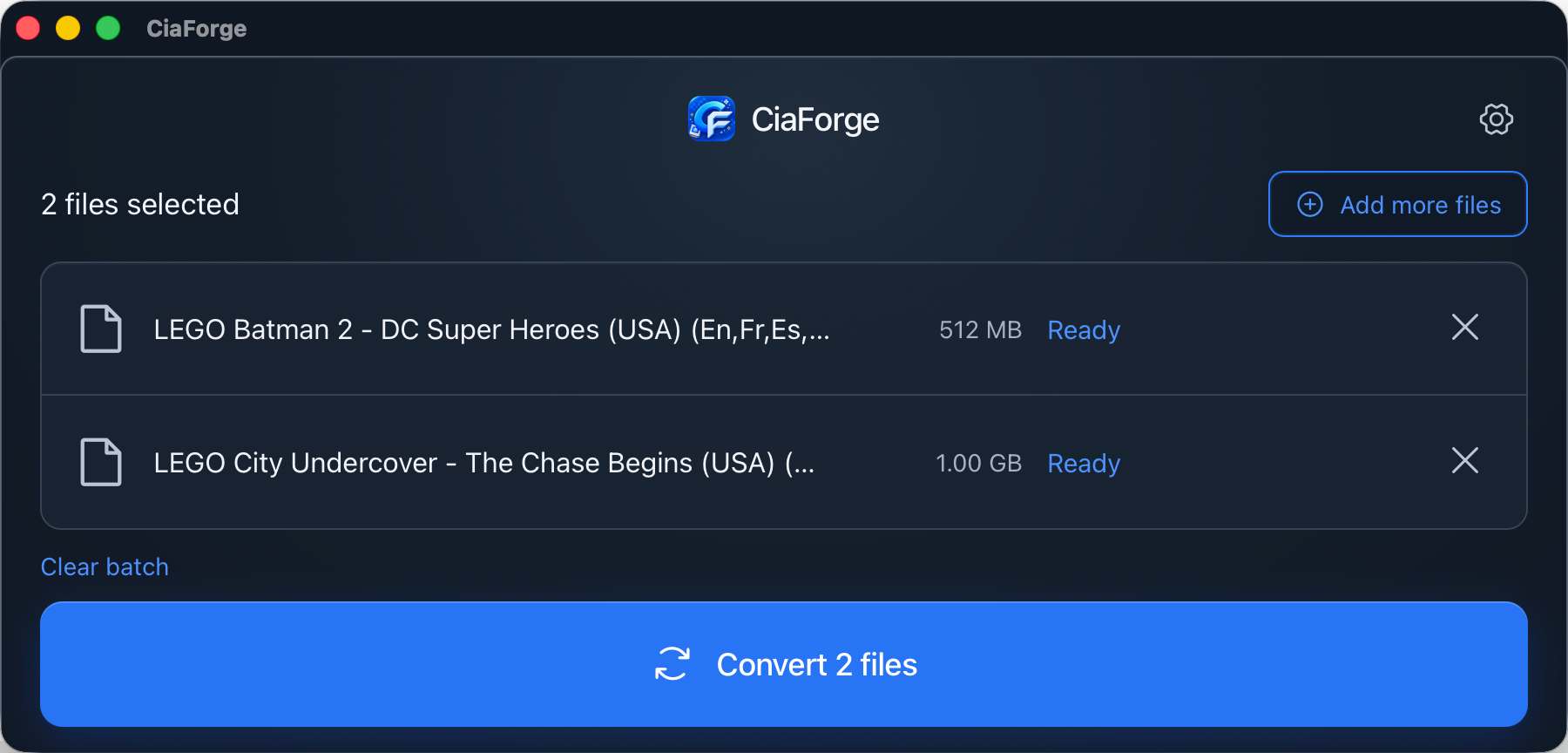
- Use the native file picker or drag one or more
.cci/.3dsfiles into the window. - See file names, sizes, statuses, and per-file conversion progress in a queue.
- Choose whether to save next to the source file or in one shared output folder.
- Avoid name collisions automatically instead of overwriting an existing
.cia. - Reveal a successfully converted file in Finder.
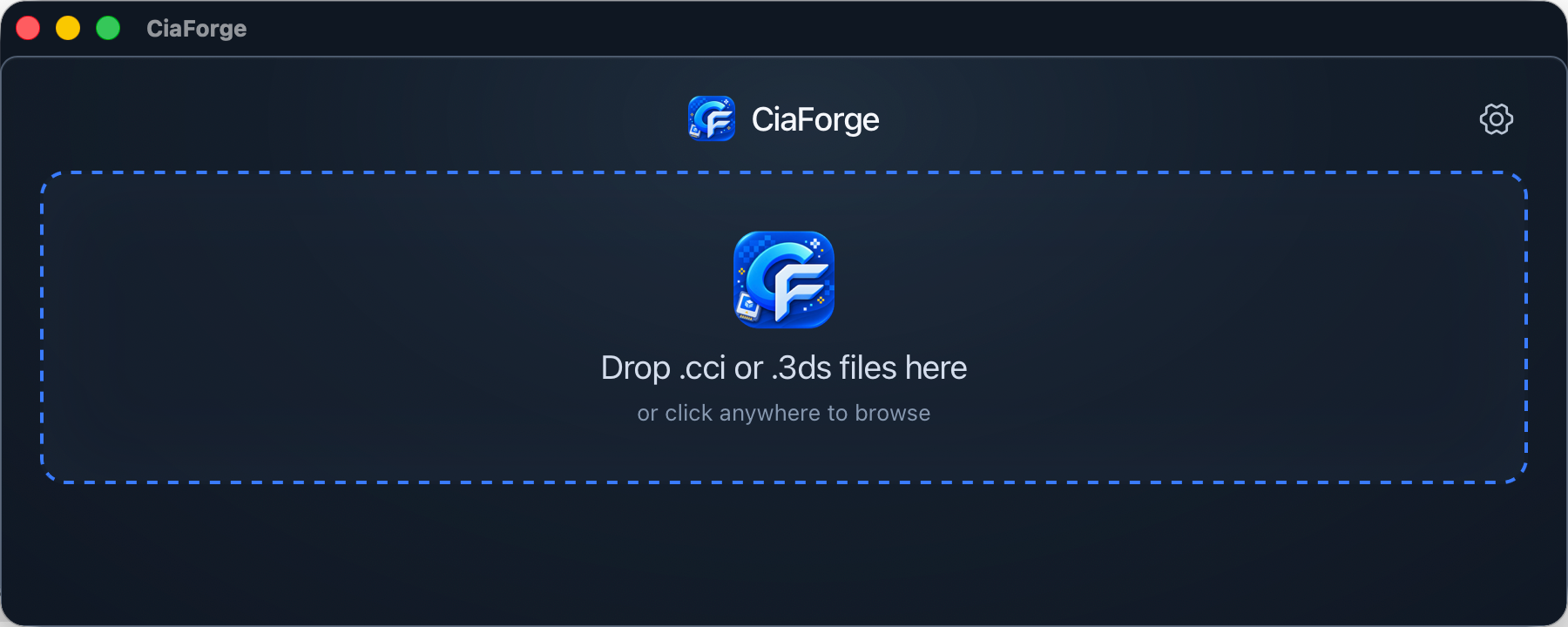
Here is the empty import screen: essentially, drag files in or click to select them.
Tauri for the shell, Rust for the conversion logic
Rather than packaging the Python command-line tool inside the app, I let Rust handle the conversion engine and Tauri connect native desktop capabilities with the frontend interaction.
The frontend manages the queue, settings, and interactions. On the Rust side, the app reads the image structure, validates CCI / NCCH content, fills in the required CIA metadata, and writes content records with SHA-256 integrity data. Tauri connects that logic to desktop features such as file selection, drag and drop, and revealing a result in the file manager.
Once conversion starts, the queue runs files one at a time and prevents the same batch from being started twice. Each file keeps its own state, so one failure does not make the rest of the batch ambiguous.
Why I chose Tauri
When I used to think about building a cross-platform tool with a UI, Electron was usually the first thing that came to mind. Its ecosystem is mature and it is straightforward to get started with, but for a focused app like CiaForge, the packaged size feels rather heavy.
Tauri has felt like a great fit here: I can still build a familiar frontend, use Rust for native logic underneath, and keep the final package lean. CiaForge comes in at under 10 MB once packaged. For a desktop app whose job is simply to make image conversion more convenient, that is a very comfortable size.
What it supports today, and what it does not
There is one important boundary: CiaForge currently supports unencrypted NCCH content inside .cci and .3ds images.
Inputs using original NCCH encryption or zero-key encryption are detected and rejected with a clear error. The app does not quietly produce a partial CIA. If I keep expanding the project, I would rather make the current path solid first, then decide whether supporting more formats and encryption scenarios is worthwhile.
To me, this limitation is not merely a feature that has not been built yet. A desktop tool should not make you think conversion succeeded only for you to discover later that the output does not work on the device. Being explicit about the supported scope is more reliable than producing something that only looks finished.
What using Codex felt like this time
Using Codex for this, the backend conversion flow was actually the smooth part: reimplementing the basic 3dsconv logic in Rust and getting real conversions working moved faster than I expected.
The time-consuming part was the final UI logic and styling. Things like how the file queue should look, which buttons should be disabled during conversion, how to make error messages clear at a glance, and how the layout should stay comfortable as the window changes size all seem like small details. But getting them to the point where I would want to use the app long term still took quite a few rounds of adjustment.
Get it and help test it
The source code and installers are on GitHub:
- GitHub: https://github.com/knktc/CiaForge
- Releases: https://github.com/knktc/CiaForge/releases
The CI currently builds installers for macOS Apple Silicon, macOS Intel, and Windows. The macOS builds are ad-hoc signed and not notarized, so Gatekeeper may block the app or report it as damaged the first time it is opened after downloading.
Installing and opening on macOS
Download the DMG matching your Mac’s architecture from Releases. Open it, then drag CiaForge.app into Applications. If Gatekeeper blocks the first launch, first make sure the installer came from the GitHub Release above, then run this in Terminal:
1 | xattr -dr com.apple.quarantine "/Applications/CiaForge.app" |
The first command removes the download quarantine attribute for CiaForge.app only; it does not disable Gatekeeper system-wide. The second command opens the app immediately. After that, CiaForge can be launched normally from Applications.
I currently only have an Apple Silicon (M-series) MacBook, so I have tested only the macOS ARM build. If you have an Intel Mac or a Windows machine, help testing the corresponding build would be very welcome. Please include your OS version, CPU architecture, CiaForge version, and any error messages in your feedback.
I plan to keep iterating on CiaForge as a tool I genuinely use myself: keep its boundaries clear, remove unnecessary friction, and make the trip from an image to an installable file a little smoother.