Recently, I came across an interesting project: nxnative. It takes Switch game files supplied by the user and builds an app for iPhone, iPad, or Mac.
The project emphasizes that the game’s own code runs directly on Apple silicon.
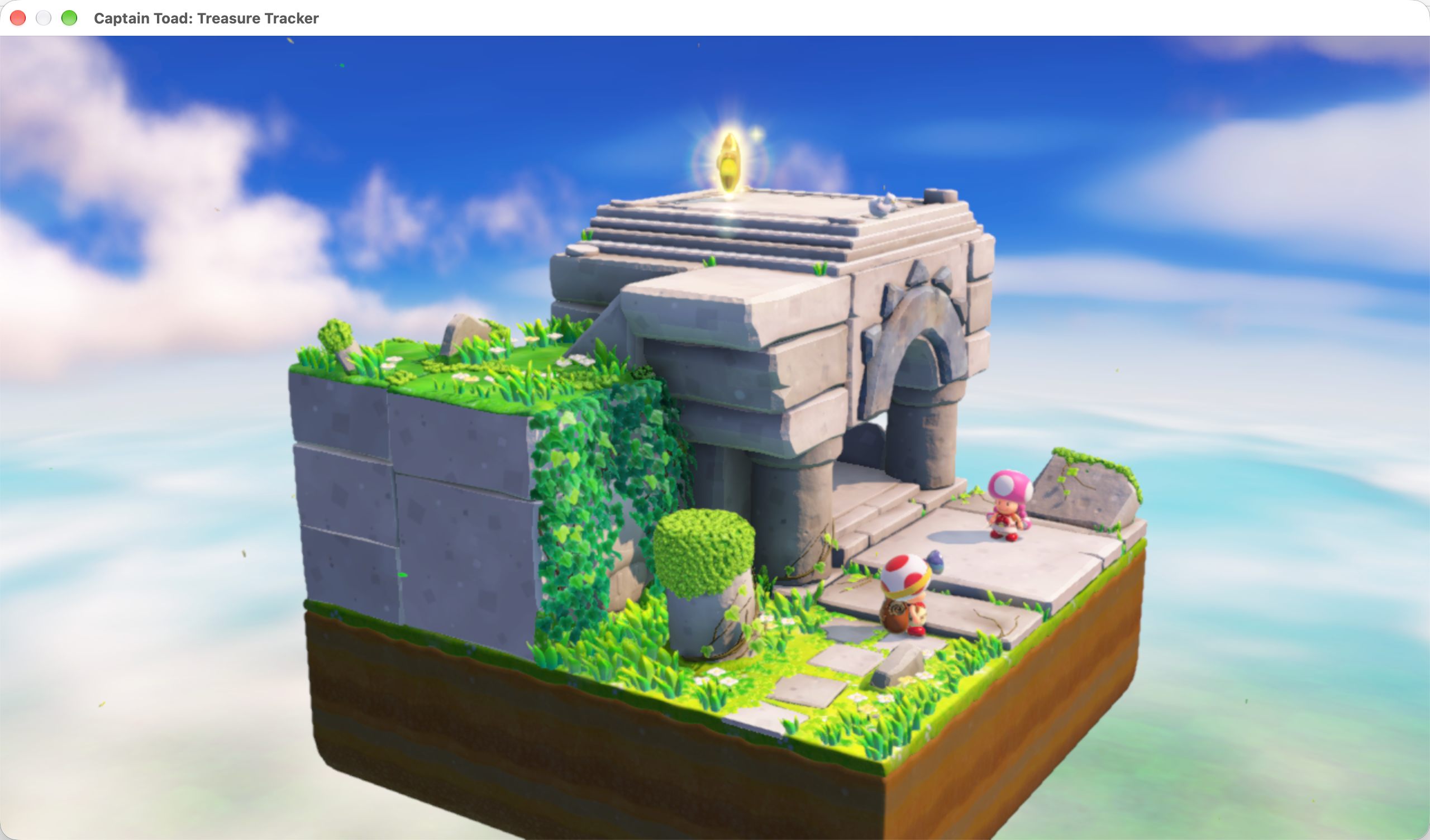
I tried Captain Toad: Treasure Tracker on my Mac too. Here’s a screenshot of it running.
I’ve played games through emulators for quite a few consoles, but I’ve never studied how those emulators work. I’ve always been curious about what makes a game run on a completely different device. This time, with help from AI and the project’s documentation and code, I started learning a little about what’s going on. This post is a record of the questions I asked and what I learned along the way.
It reminded me of something I used to hear: to emulate a console smoothly, your computer needs ten times the original machine’s performance.
If that’s the case, how can a phone run Switch games? Have phones become powerful enough to emulate consoles with ease, or is that ten-times claim missing something?
While working through nxnative with AI, I found myself wondering: when a console and the device running its games share the same CPU instruction set, what does the emulator still need to emulate?
People Really Did Say “Ten Times the Power”
I wasn’t imagining it.
Bodo Wenzel, the author of the PalmOS Game Boy emulator Phoinix, wrote in the project notes that the machine doing the emulation needs roughly ten times the power of the machine being emulated.
He was explaining a specific problem. The Game Boy had dedicated hardware for sprites and sound. Palm devices organized display memory differently and lacked equivalent sprite hardware. Software had to make up the difference, so a higher CPU clock alone didn’t guarantee that games would run fast enough.
Chapter 18, page 718 of the English tenth edition of Operating System Concepts gives a similar explanation: reading, parsing, and simulating one instruction from an older system might take ten instructions on the new one, potentially making instruction-set emulation an order of magnitude slower.
So that ten-times claim really was something people said.
How Does a Computer Run Games Written for a Different CPU?
Older consoles used a wider variety of CPUs than we tend to see today. The NES used a 6502-based processor, the original PlayStation used MIPS, and the GameCube and Wii used PowerPC. These took a different path from the x86 processors common in PCs at the time. Console makers also customized processors and supporting hardware around their games’ needs.
A game gives the CPU a stream of machine instructions. CPUs with different architectures may understand entirely different instructions, a bit like people speaking different languages. Copying a game onto a computer doesn’t mean its CPU can execute the code inside.
An emulator has to make those instructions produce their intended effects on the computer.
One straightforward approach is to build a “virtual CPU” in software. Variables keep track of its registers—the places where a CPU temporarily holds numbers—and a block of memory holds the game code and its working data.
The emulator then repeats a few steps: fetch the next game instruction, work out what it means, carry out that operation using code on the computer, and update the virtual CPU’s state.
Suppose an instruction means “add one to the number in this register.” The emulator finds the variable representing that register and adds one. If an instruction says “jump somewhere else and keep executing,” it changes the recorded location of the next instruction. Step by step, the game logic starts working. This approach is called interpretation.
The overhead is easy to see. An action performed directly by the original hardware now involves fetching, decoding, and maintaining state. When a game executes a large number of instructions every second, those extra steps add up.
To go faster, an emulator can translate a whole block of code into machine instructions that the computer’s CPU can execute directly, then keep the result. The next time the game reaches that block, it reuses the translation. This is called dynamic recompilation, often referred to as JIT.
Games repeat a lot of work, such as updating character positions every frame. Translating that code once and reusing it saves work. Dolphin, which emulates the GameCube and Wii, includes a PowerPC-to-x86-64 JIT implementation.
Beyond the CPU, games need graphics, sound, and controller input. Developers have to understand how those parts of the original machine behave, then reproduce that behavior using software or the computer’s existing hardware.
Those parts also have to stay in sync. The NES, for example, generates its picture line by line. A game can change the scroll position partway through a frame to produce different effects in the top and bottom sections. Drawing the entire frame from its final state can give the wrong result. The NESdev timing documentation describes these interactions between the CPU and the graphics chip.
Writing an emulator therefore involves both executing code written for another CPU and building the graphics, sound, and input environment that the game expects. That’s where the extra work comes from.
What Work Does nxnative Avoid?
An important starting point for nxnative is that the Switch game code it handles uses AArch64, usually called ARM64. Apple silicon can execute that instruction set too.
Many ordinary calculations, branches, and memory operations in the game can therefore run directly on the Apple CPU.
Sharing an instruction set doesn’t make programs interchangeable between platforms, though. Switch executable modules, system calls, threading, and graphics interfaces differ from their iOS counterparts.
nxnative handles three areas.
1. Rewrite Incompatible CPU Instructions Ahead of Time
Its NSO rewriter processes the game’s binary modules and finds the locations that need adaptation.
For example, Apple’s use of the x18 register conflicts with assumptions in the game code. The rewriter redirects those reads and writes to dedicated thread storage slots. Instructions accessing thread-local information also need adaptation, while svc instructions that would enter the Switch kernel are redirected to a Host handler.
There are smaller differences too, including stack alignment and synchronization operations that need stronger memory ordering.
This is selective rewriting of existing machine code. It doesn’t require recovering the game’s complete source code, or translating every ARM64 instruction into another instruction set.
2. Provide the System Environment the Game Expects
Games create threads, wait for events, allocate memory, read files, get input, and play sound. On the Switch, these requests are handled by Horizon, the console’s operating system.
nxnative’s Host layer provides the corresponding services. The development documentation describes how threading, synchronization, files, input, and audio are handled.
Rather than booting a complete Switch system, it implements the behavior the game needs inside the app’s process. Returning a value from an interface isn’t enough: waits and thread wakeups also have to behave as the game expects.
3. Move the Graphics Work to Metal
The CPU code may run directly, but the GPU is still different.
Programs written for the Switch’s NVIDIA GPU can’t execute directly on an Apple GPU. nxnative implements the NVN graphics interface on Metal and translates the game’s shaders. Its toolchain includes the Ryujinx shader translator and SPIRV-Cross, following roughly this path:
1 | Switch GPU shaders → SPIR-V → Metal Shading Language → Apple toolchain compilation |
These components are listed in the project acknowledgements. Graphics adaptation also involves texture layouts, resource bindings, and synchronization. There’s more to it than swapping one drawing function for another.
Why Build an App First?
Doing this preparation in advance is an important part of nxnative’s approach.
Starting with the game’s code and assets, it rewrites executable modules and prepares shaders, then packages them with the Host and graphics layers. The loader source explicitly notes that on iOS, the original code and patch areas must be embedded as signed code segments.
Much of the CPU code is ready before you start playing, reducing the need to generate CPU machine code at runtime.
Building an app doesn’t guarantee that any game will work, however. The porting guide still calls for checking modules, system interfaces, shaders, and game versions, followed by tests on actual devices. The current native-execution approach also has no instruction translator for 32-bit ARM games.
Trying It on My Mac
For this test, I used Captain Toad: Treasure Tracker version 1.3.0 and chose the Mac App build target.
The log makes the steps above quite tangible: extract the game files, rewrite the code, extract and compile shaders, build the Host, and package the app. This build processed 7,258 shaders and took about six minutes from the start to completion.
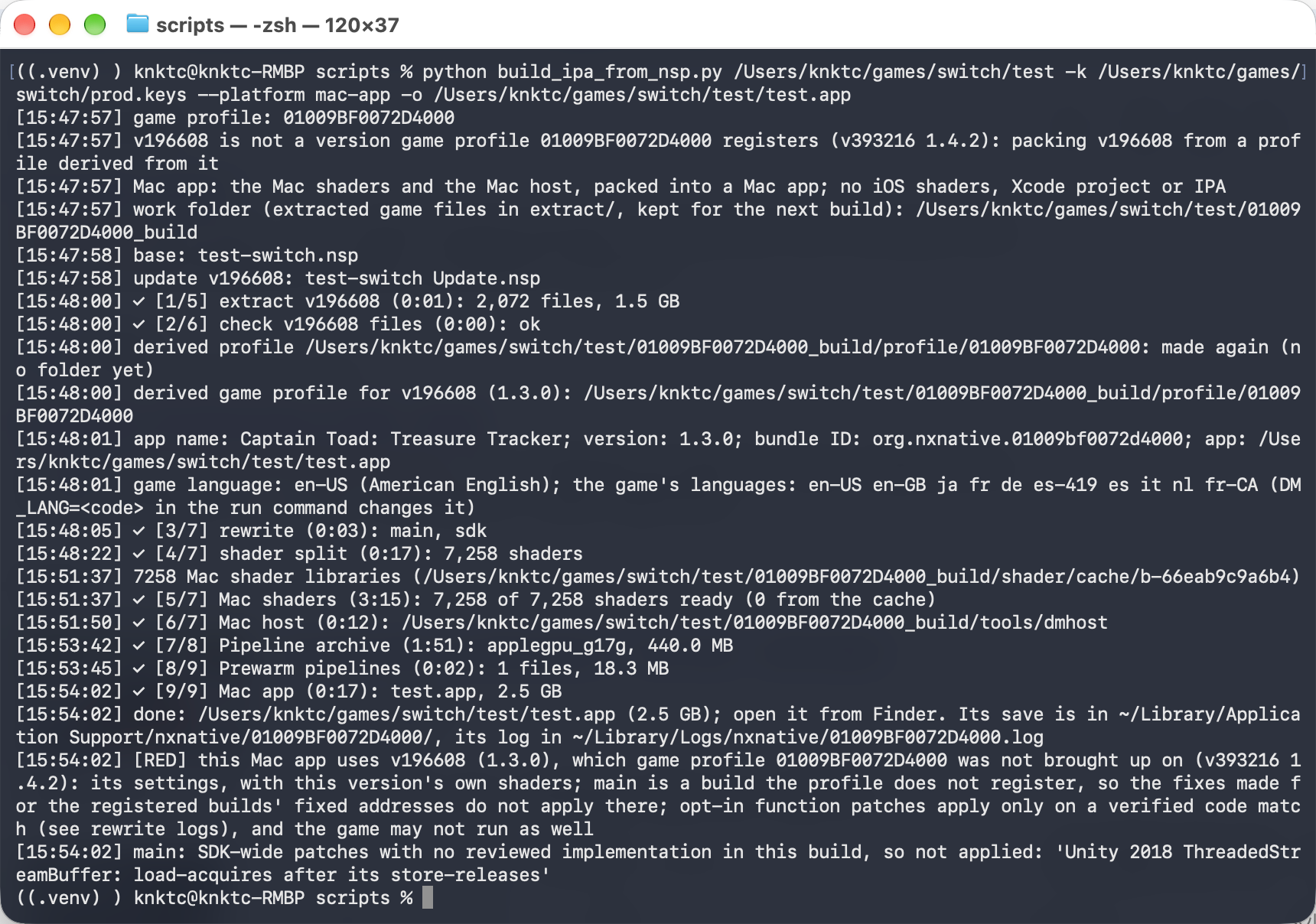
The log shows code rewriting, shader compilation, and app packaging. My game version differed from the version registered in the project, so the script used a derived profile.
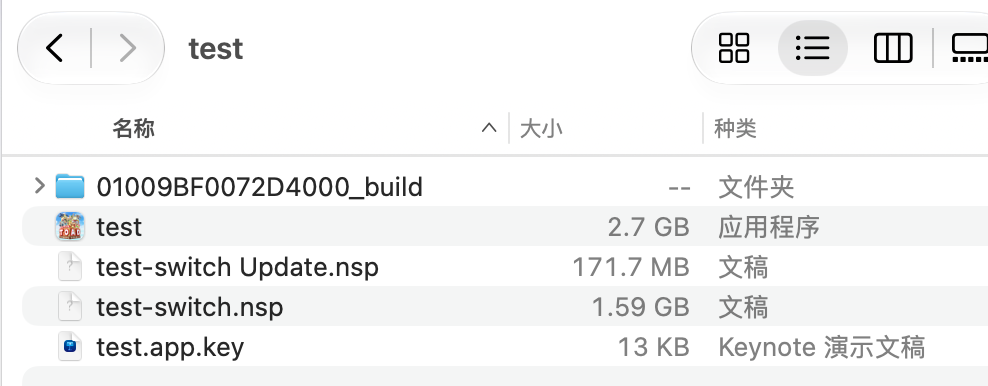
The result was an app in Finder, complete with the game’s icon. Finder showed a size of about 2.7 GB.
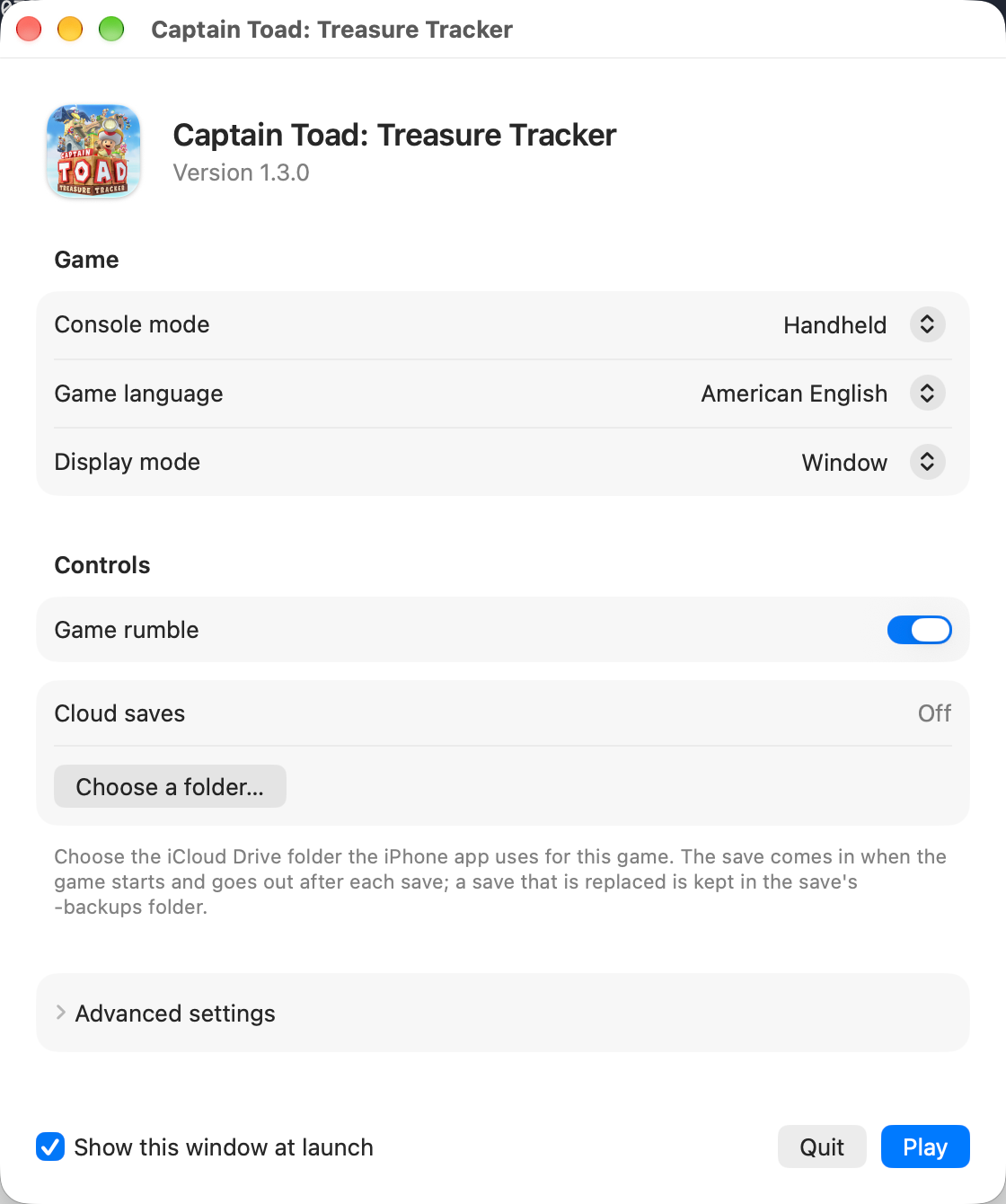
Opening it brings up a settings window where you can choose the console mode, game language, and display mode, then click Play to start the game.
It felt pretty smooth on my M5 Mac. I opened the Metal performance HUD, which showed 60 FPS when I took this screenshot.
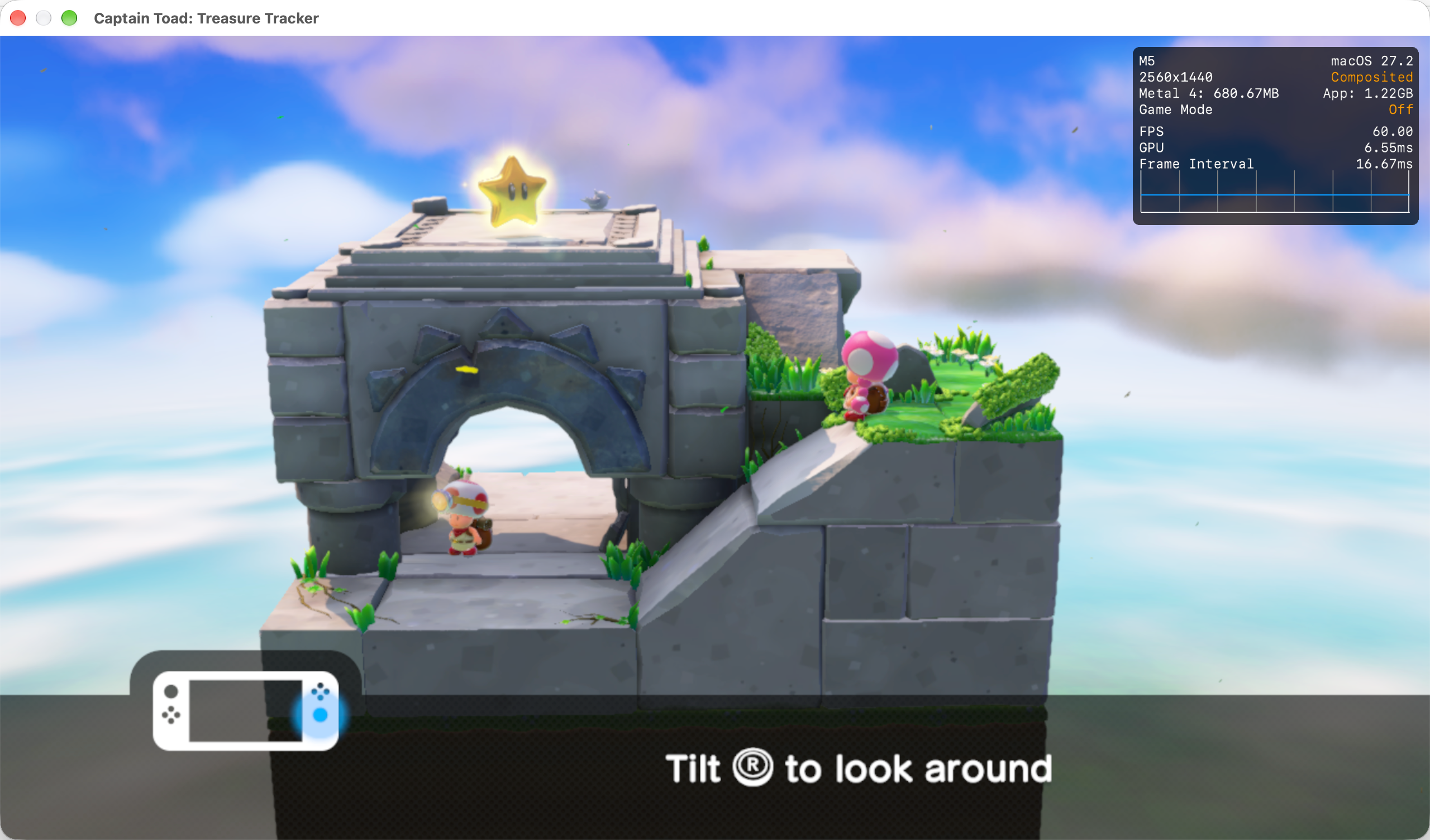
This was a brief test on my Mac. I haven’t tested it on a phone.
Is It an Emulator?
The project’s “not an emulator” description emphasizes direct execution of the game’s CPU code.
System services still need new implementations, and graphics interfaces and shaders still need translation. I find it more useful to look at the individual parts:
| Part | What nxnative does |
|---|---|
| Most game CPU code | Executes it directly |
| Incompatible instructions and code locations | Rewrites them during the build |
| Horizon system services | Provides compatible implementations in the Host |
| NVN graphics and GPU programs | Adapts and translates them for Metal |
Native execution isn’t something nxnative invented, either.
The shadPS4 design documentation explicitly describes executing PS4 CPU code natively on x86-64, reimplementing system libraries, and emulating GPU commands to render through Vulkan.
Native execution and emulation can exist in the same project. What affects performance and compatibility is the work done at each layer, regardless of the name the project uses.
What’s Changed Behind the Ten-Times Claim
The intuition behind that old claim still makes sense: replacing dedicated hardware with software can involve a lot of extra work.
But the overhead isn’t a fixed tax.
Dynamic recompilation spreads out the cost of interpreting instructions. A shared instruction set lets much of the code run directly. Ahead-of-time rewriting moves some work into the build, while compatibility layers use the host platform’s capabilities to provide what a game needs.
When I used emulators before, I mostly found a game, configured the buttons, and started playing. I rarely thought about what was happening inside. Following the questions raised by nxnative showed me how many different ways there are to get game code running.
Seeing Captain Toad become a Mac app that I could just open and play still felt pretty novel. Emulators used to seem like magic to me. With some help from AI, I finally understand a little of what’s behind them.