In general, Android ARM emulators work reasonably well for compatibility, but they are slow. Sometimes starting one can take several minutes. If you can use an x86 emulator with acceleration enabled, the user experience improves dramatically.
The difficulty is that x86 emulator acceleration depends on CPU virtualization support, and when you are already inside a KVM guest, the guest CPU does not expose that capability by default. That is where nested KVM comes in.
Note:
Android x86 emulators are less compatible than ARM images, so some apps may still crash.
Enable nested KVM
Nested KVM means KVM is allowed to expose virtualization support from the host CPU into the guest VM.
On the physical host, check whether nested KVM is already enabled:
1 | cat /sys/module/kvm_intel/parameters/nested |
If the result is Y, it is already enabled. If it is N, add the following configuration:
1 | echo "options kvm_intel nested=1" >> /etc/modprobe.d/kvm-nested.conf |
Then reboot the server and check again.
Configure the virtual machine
To let a guest use nested KVM, add the following to the guest’s libvirt XML:
1 | <cpu mode='host-passthrough' check='none'/> |
After updating the XML, reboot the virtual machine.
You can compare the CPU flags before and after the change:
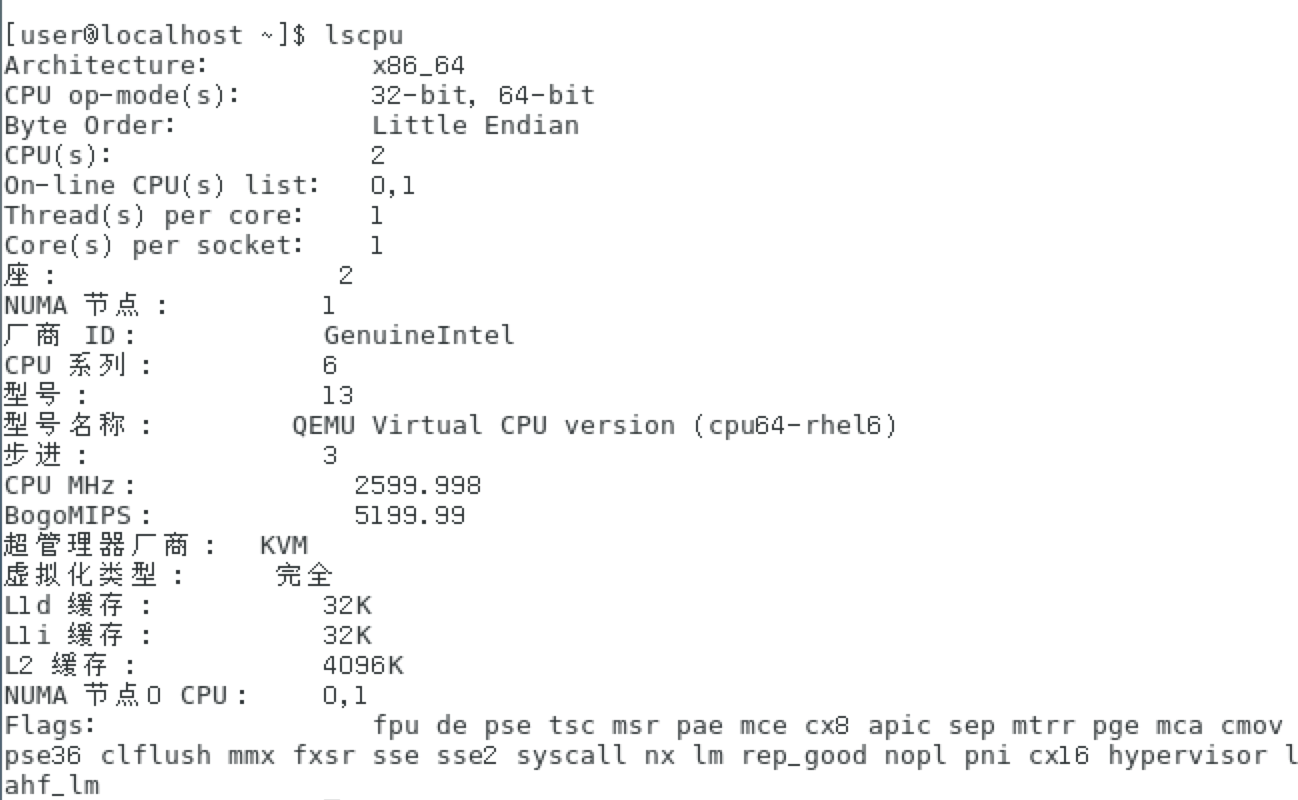
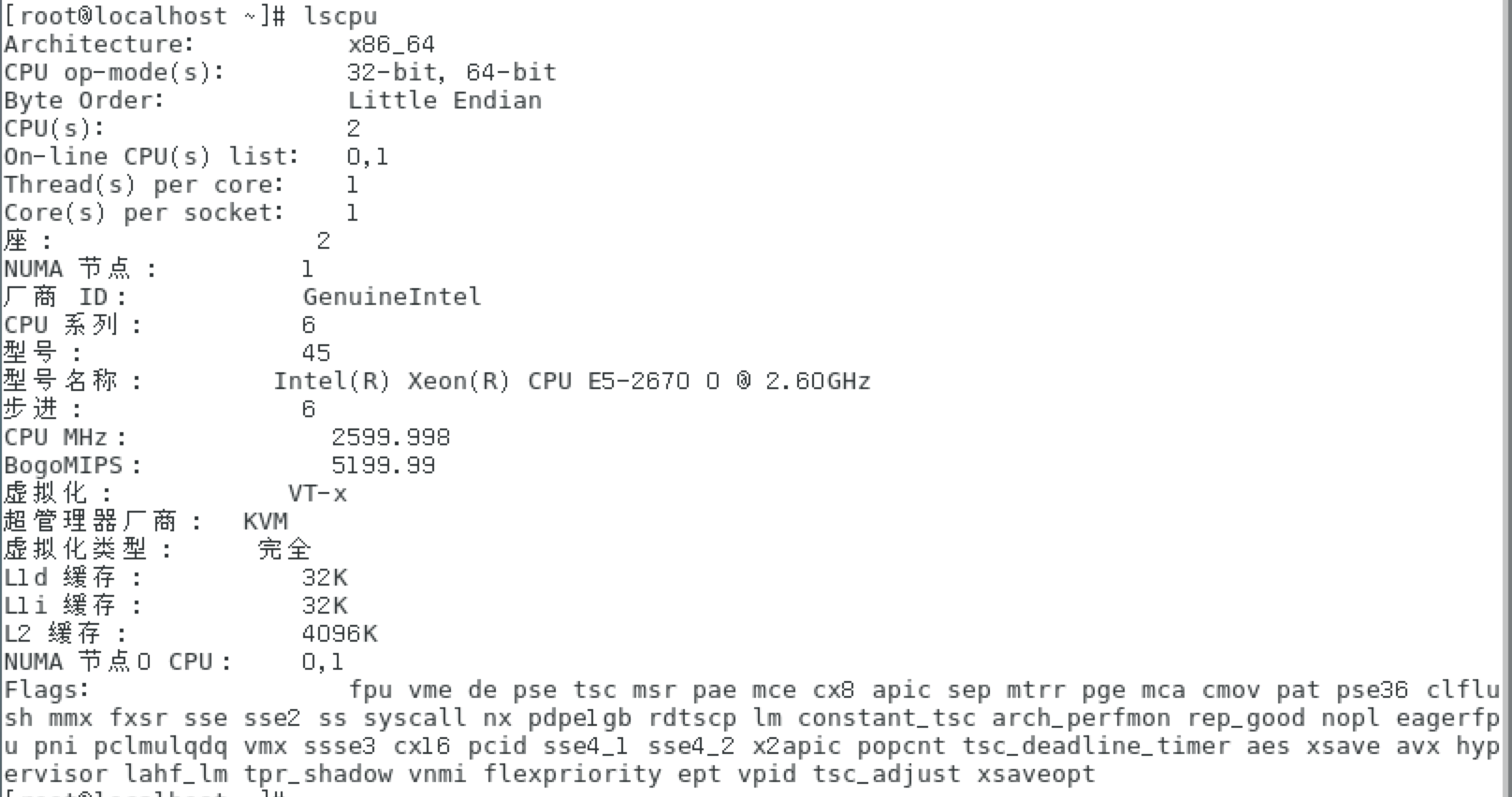
After the change, the guest CPU exposes more flags, including virtualization support.
Install the emulator
Once nested KVM is working, you can install an x86 emulator inside the guest.
I usually prefer the command-line tools. Download them from:
https://developer.android.com/studio/
Look for the “Command line tools only” section and download the version for your platform.
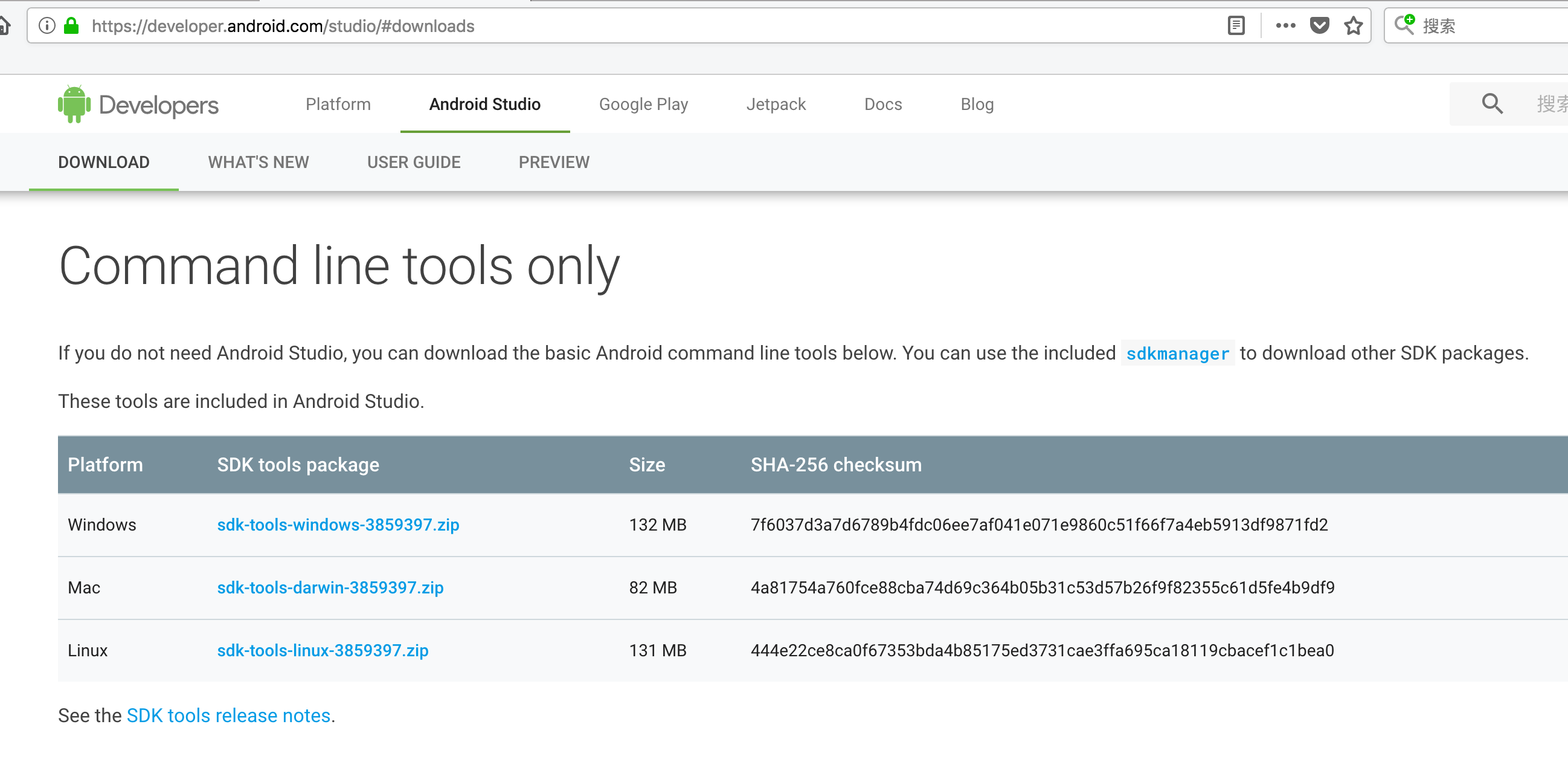
After unpacking the tools in the guest, a simplified installation flow looks like this:
1 | cd tools/bin |
At this point, the emulator image is installed and an AVD named android4.4 has been created.
Start the emulator
Because the VM does not have a real hardware GPU, use:
1 | ./emulator -avd android4.4 -gpu swiftshader_indirect |
Enjoy the speed
With an x86 emulator, performance is much smoother. It also supports quick boot, which means it can restore the previous runtime state after startup. Combined with KVM snapshots, that opens up some useful workflows.

